

Product Gallery(1 Images)
01. Overview & Pitch Details
SECTION 01 / 04Executive Pitch Summary
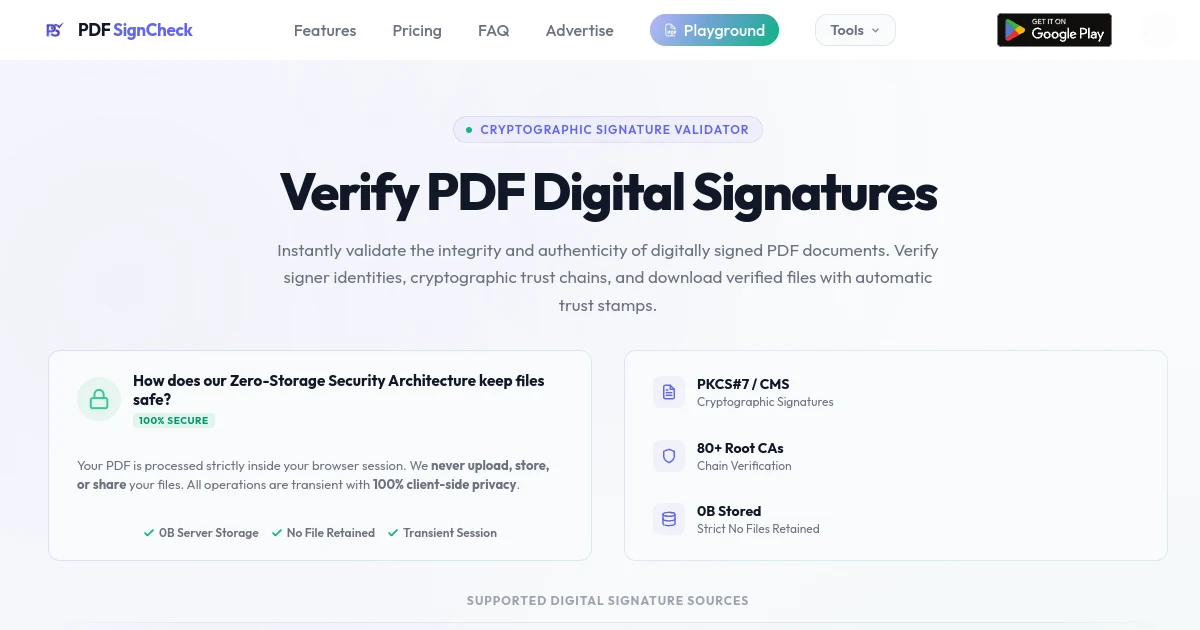
PDF SignCheck is a powerful tool designed to verify the digital signatures of PDF documents quickly and securely. It operates entirely within your browser, ensuring that your files are never uploaded or stored on any server, thus maintaining complete privacy. The service is built on a zero-storage security architecture, meaning that all operations are transient and your documents are processed in-memory. This approach guarantees that no data is retained, providing users with peace of mind when handling sensitive information.
The verification process is straightforward and efficient. Users can upload their digitally signed PDFs, and PDF SignCheck will extract the PKCS#7 signatures, compute document hashes, and validate the certificate chain against over 80 trusted root Certificate Authorities (CAs). Once the verification is complete, users can download their PDFs with a visual "Signature valid" stamp, indicating that the document's integrity has been confirmed. This feature is particularly useful for documents from government portals and official signing services, ensuring that users can trust the authenticity of their files.
PDF SignCheck offers a variety of features that enhance the user experience. The tool provides enterprise-grade verification with full PKCS#7 hash verification against byte ranges, ensuring that any tampering is instantly detected. Additionally, the service auto-trusts certificates validated against the Mozilla CA trust store, eliminating the need for manual configuration. The output PDF includes a visual stamp that matches the style of Adobe Acrobat, making it easy for users to present their verified documents.
The platform also includes a range of additional tools designed to improve document workflows. Users can access features such as a PDF dark mode converter, duplicate page remover, font changer, and more. These tools are designed to be user-friendly and efficient, allowing for seamless integration into everyday document management tasks. With a focus on security and privacy, PDF SignCheck stands out as a reliable solution for anyone needing to verify digital signatures on PDF documents.
Core Value Propositions
- · Cryptographic integrity verification of PDF signatures
- · Full PKCS#7 hash verification against byte ranges
- · Auto-trust certificates validated against Mozilla CA trust store
- · Output PDF includes a visual "Signature valid" stamp
- · Zero storage policy with files processed entirely in-memory
Target Audience & ICP
Small Businesses, Retail Shops, Shopping Malls, etc.
Free Account
$0 /forever
5 PDF signature verifications / day, 5 PDF dark mode conversions / day, 5 PDF duplicate page removals / day, 5 PDF font changes & size edits / day, 5 PDF ink/toner cost estimations / day, 5 PDF reading time insertions / day, 5 PDF bookmarks & TOC generations / day, 5 PDF copy-paste text fixes / day, 5 PDF placeholder scans & replacements / day
Top-up Pack 100 Credits
$4.99 one-time
Add 100 lifetime-valid credits for each tool to your account, unlock bulk PDF signature verifications (up to 10 files), 100% Ad-free experience, priority server processing queues
02. Architecture & Technical Specs
SECTION 02 / 04Primary Tech Stack
Infrastructure & Mesh
Vercel
Security & Compliance
Zero Storage Policy
Open API Endpoint
n/a (Not a valid link)
03. Founder Story & Manifesto
SECTION 03 / 04Origin Story
The biggest discovery here is - it allows anyone to instantly verify and validate pdf signatures.
Maker Thesis
“It will reduce user frustrations who don't have a desktop.”
04. FAQ & Support
SECTION 04 / 04Q: How does PDF SignCheck verify a PDF digital signature?
PDF SignCheck cryptographically validates the digital signatures embedded in PDF documents. It checks that the document has not been tampered with after signing, verifies the signer’s certificate chain against trusted root Certificate Authorities (CAs), and outputs a stamped PDF with a "Verified ✓" badge — similar to clicking "Trust this certificate" in Adobe Acrobat.
Q: Is my PDF document stored or saved during digital signature verification?
No. Your file is processed entirely in memory on the server. It is never written to disk, never stored in any database, and is discarded immediately after the verified PDF is returned to your browser. We take privacy seriously — your documents remain yours.
Q: What types of PDF digital signatures and certificates are supported?
PDF SignCheck supports PDFs that contain PKCS#7 / CMS digital signatures — the standard used by government portals, official certificate authorities, and digital signing platforms. This includes documents from DigiLocker, e-District, MCA, UIDAI, and similar government services worldwide.
Q: Why does Adobe Acrobat Reader display a PDF signature as "Not Verified"?
Adobe Acrobat only trusts certificates from its own Adobe Approved Trust List (AATL). Many government and institutional signers are not on that list. Our tool auto-trusts the signer’s certificate after cryptographic verification — exactly what Adobe asks you to do manually when you click "Trust this certificate." The downloaded verified PDF includes a visual stamp so it’s clear the signature has been validated.
Q: Is the online PDF signature verification process cryptographically secure?
Yes. We perform full PKCS#7 signature verification: we extract the signed hash from the signature, independently compute the hash of the document’s byte ranges, and compare them. We also validate the certificate chain up to a trusted root CA from the Mozilla CA trust store. This is the same process that Adobe Acrobat and other professional PDF tools use.
Q: Are there daily or rate limits for PDF cryptographic verification?
To prevent abuse, we rate-limit to 10 requests per minute per IP address. The maximum file size is 50 MB. These limits are sufficient for normal usage. If you need higher throughput for enterprise use, please contact us.
Meet the Founder
Verified MakerSimilar Products in verification
10Notion
The connected workspace for notes, docs, wikis, and AI
Figma
Where teams design, prototype, and build software together
shadcn/ui
Beautifully designed components you can copy and paste into your apps
Supabase
The open source Firebase alternative built on Postgres
Linear
The issue tracking tool built for high-performance software teams
Claude 3.5 Sonnet
Frontier intelligence, unmatched coding capabilities & reasoning
Cursor
The AI-first code editor for hyper-productive engineers
Lovable
The AI software engineer that builds full-stack apps in minutes
Resend
Email for developers — built with React and modern APIs
Dub.co
The open-source link management platform for modern marketing
- No comments yet on PDF SignCheck. Be the first to share your thoughts.